The Fox3 Discord Bot: Total Control of Your DCS Server Without Leaving Discord
It is Friday night, your squadron is on the ramp, and someone wants a different mission. Not long ago that meant tracking down the one person with server access and hoping they were near a keyboard. On a Fox3 server, it means typing a slash command in your own Discord. A few seconds later the new mission is running and nobody ever left the voice channel.
That is the Fox3 Discord Bot. We built it specifically for Fox3 managed DCS servers, and since launch we have kept adding to it. It has grown into a complete command center that lives right where your squadron already hangs out. Here is everything it can do for you today.
Your Whole Server, One Slash Command Away
The bot connects directly to your Fox3 hosted DCS server in real time. There is nothing to install, nothing to configure on the server side, and no third party service to sign up for. Run /f3setup once in your Discord, and from that moment your server answers to you.
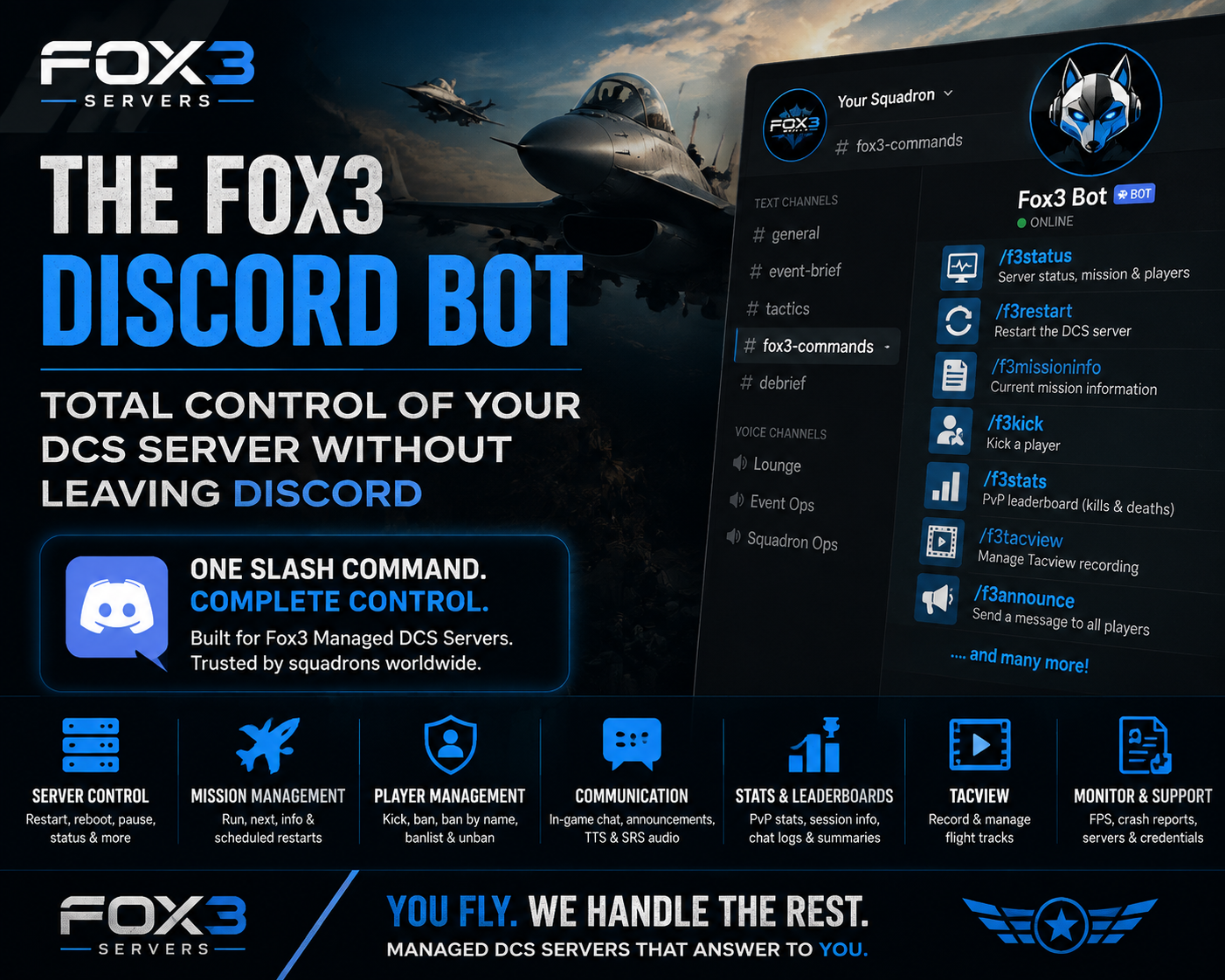
/f3statusshows your server health, current mission, and player count at a glance/f3restartrestarts your DCS server/f3rebootreboots the entire server machine for a truly fresh start/f3pauseand/f3unpausefreeze and resume the simulation on demand
No web panel in another browser tab. No calling anyone. You type, the server obeys.
Run the Missions You Want, When You Want
Mission control is where the bot really earns its keep:
/f3missioninfotells you exactly what is running and for how long/f3nextmissionadvances your rotation instantly/f3runmissionjumps straight to any mission on your server
Then it gets even better, because you can automate all of it. /f3autorestart sets your missions to restart on a recurring schedule, and /f3autoreboot schedules full server reboots. If you fly with our Real Weather add-on, those scheduled reboots pull in fresh real world weather too. Your server takes care of itself while you sleep.
Keep Your Server Yours
Every public server eventually meets a griefer. The bot makes that a ten second problem:
/f3playersshows everyone connected right now/f3kickremoves a problem player immediately/f3banand/f3banbynameban a player, and the bot even looks up their ID from their in game name so you do not have to/f3banlistand/f3unbanlet you review and reverse bans any time
Full moderation power, all from the same Discord window your squadron is already talking in.
Talk to Your Pilots
/f3chatsends a message straight into the in game chat/f3announceputs a message on every connected player's screen
And the bot has a voice. It can broadcast text to voice transmissions and play audio files directly into SRS, so your event briefings and radio traffic reach pilots on frequency, not just in a text channel. Your missions do not just look alive, they sound alive.
Stats That Keep Your Squadron Coming Back
Nothing builds a community like a little friendly competition:
/f3statsshows the live PvP kill and death leaderboard for the current mission/f3statsplayerpulls up the numbers for any individual pilot/f3sessionsummarizes who flew and for how long/f3lastsummarybrings back the leaderboard from the previous mission, so the bragging rights survive the restart/f3chatlogshows recent in game chat, even after everyone logs offYou can also use our https://stats.fox3cloud.com
Post the leaderboard in your Discord after event night and watch the rematch schedule fill itself.
Tacview, Managed From Discord
Debriefs are where good squadrons become great ones. /f3tacview lets you turn Tacview flight recording on or off and choose between one combined track file or a separate file for every pilot. Serious training tools, zero server file editing.
Answers When Something Feels Off
/f3fpsshows your server's live simulation frame rate/f3crashreporthands you the most recent crash report without anyone touching the server/f3serverslists every Fox3 server you own/f3passwordretrieves your server credentials securely when you need them
You get real visibility into your server, and if you ever want a human, the Fox3 team is in the same Discord.
Powerful for You, Locked Down for Everyone Else
All of this power stays exactly where you put it. The bot works through Discord roles and channel permissions, so you decide who can run commands. Your squadron officers can restart missions and manage players without ever touching a password, a remote desktop, or anything on the backend. If they do not have the role, they do not have control. It is that simple.
Frequently Asked Questions
Does the Fox3 Discord Bot cost extra?
No. The bot comes with your Fox3 DCS server. It is part of what managed hosting means to us.
How do I set it up?
Run /f3setup in your own Discord server, pick the channel you want the bot to live in, and you are done. It takes about a minute. If you get stuck, ask us in the Fox3 Discord and we will walk you through it.
Can I let my squadron admins manage the server?
Yes, and that is the whole point. Give them the Discord role and they have full command access. No shared passwords, no Windows accounts, no risk.
I run more than one Fox3 server. Does the bot handle that?
It does. The bot manages every Fox3 server tied to your account, and /f3servers shows you the whole list.
Can the server restart itself on a schedule?
Yes. /f3autorestart handles recurring mission restarts and /f3autoreboot handles full scheduled reboots, including fresh Real Weather if you have that add-on.
The Fox3 Discord Bot is one of our favorite things we have ever built, because it turns server management from a chore into a slash command. You fly. We handle the rest.
If you are already a Fox3 customer, type /f3setup and take command tonight. If you are not flying with us yet, head over to fox3servers.com and get your squadron a DCS server that answers to you.
Happy Flying!
Ready to fly?
Get a fully managed DCS World or IL-2 server. Most customers are flying within an hour.