One Button Tunes Your DCS Graphics Settings For You
It be nice if DCS Graphic settings can be auto tuned for your hardware?
That is exactly why we built this. Today, Fox3 Servers is releasing the open beta of DCS Graphics Optimizer, a free Windows tool that handles that whole process for you, automatically, while you go get a coffee.
What It Does
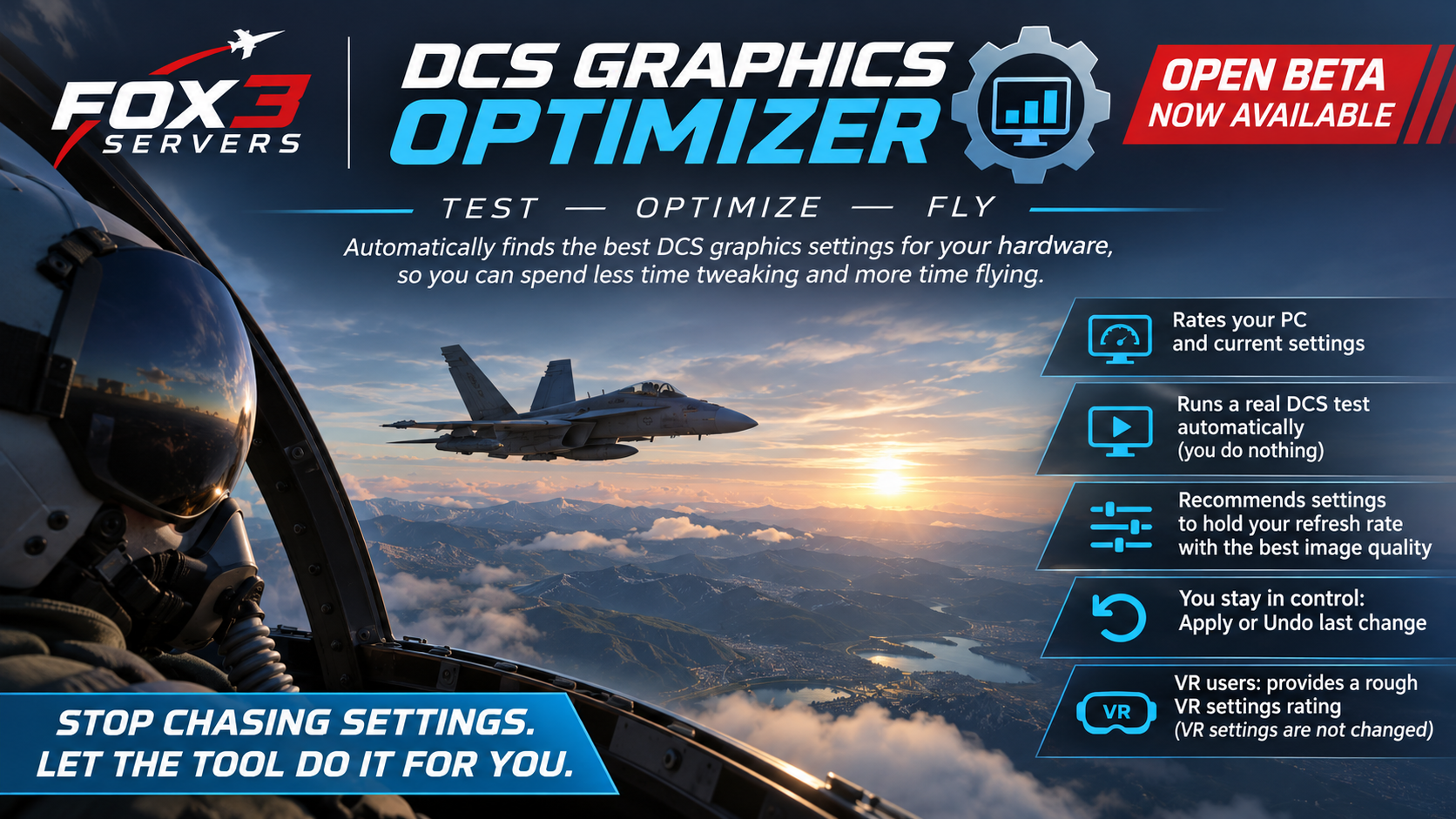
DCS Graphics Optimizer rates your PC and your current DCS graphics settings, then runs a short automated test inside real DCS World. It opens DCS, runs the test, and closes DCS on its own. You do not touch anything.
When it finishes, it recommends settings designed to hold your monitor's refresh rate even in the moments that stress your system the most, at the best image quality your hardware can actually support. Not a theoretical best. A tested one.
A couple of things worth knowing up front:
Nothing changes until you say so. You review the recommendation, then press Apply if you want it. If the result feels wrong, one click on Undo last change puts your old settings back.
Short test or thorough test, your call. A standard run takes about 10 to 20 minutes, hands off. If you want the tool to dig deeper, a thorough test runs 35 to 60 minutes. Same hands off process either way.
VR users: if VR is enabled, the tool gives you a rough rating of your VR settings. The test itself runs on your monitor and leaves your VR configuration alone.
How To Get It
No installer, no account, no subscription.
Go to the release page on GitHub and download
DCSGraphicsOptimizer.exefrom the Assets section.Double click it. That is the whole install.
The file is code signed. If Windows shows a warning before it runs, check that it names the publisher Fox3 Managed Solutions Inc.
On first launch the tool asks whether it may send anonymous results: hardware specs, settings, and frame rates. No names, no account info, no folder paths, no screenshots. Saying no changes nothing about how the tool works.
Requirements: Windows 10 or 11 and DCS World 2.9, standalone or Steam.
Before You Run It
Two things to do before you start a test:
Close DCS World if it is running.
Close anything else using your graphics card.
That is it. After that, press the button and step away.
This Is a Beta, and We Need Your Help
We are going to be straight with you. This tool has been tested thoroughly on our machines with an NVIDIA RTX cards. What we do not yet know is how it behaves across the full range of hardware that DCS pilots fly on, and that is where you come in.
We especially want results from AMD and Intel graphics cards. If you have one, your feedback is genuinely valuable right now.
After you run it, we want to know:
Did the recommended settings feel better, worse, or about the same in normal flying?
Did anything go wrong? DCS not starting, the test stopping early, settings not restored, an unexpected Windows warning?
Screenshots are welcome.
Bring all of it to the Fox3 Discord #general . Your results are what will make the tool better.
For a full breakdown of what to look for during testing, the beta tester notes have you covered.
This is a free tool for the whole DCS community. Fox3 customers, non customers, veterans, newcomers. If you fly DCS World on a Windows PC and you have ever spent an hour chasing settings, give it a run.
Frequently Asked Questions
Does DCS Graphics Optimizer change my settings automatically?
No. It runs the test and makes a recommendation, but nothing in your DCS configuration changes until you press Apply. You are always in control.
What if I do not like the results after applying them?
Press Undo last change and your previous settings come back. No manual work required.
How long does the test take?
A standard test runs about 10 to 20 minutes with no input from you. A thorough test takes 35 to 60 minutes. Close DCS and your other GPU heavy apps first, then walk away.
Does it work with VR headsets?
If VR is enabled, the tool provides a rough rating of your VR settings. The actual performance test runs on your monitor, and your VR settings are not changed.
Windows showed a warning. What should I check?
The file is code signed. Check that the warning names the publisher Fox3 Managed Solutions Inc. If it names anyone else, do not run the file, and download it again from the release page.
Does the tool send my data anywhere?
Only if you say yes on first launch. If you opt in, it sends anonymous hardware specs, settings, and frame rates. No personal information, no account data, no folder names, no screenshots. Opting out has no effect on how the tool works.
https://www.youtube.com/watch?v=I0Ej7FEcz5Y
We built Fox3 Servers to take the painful infrastructure work off your plate so you can focus on flying. DCS Graphics Optimizer is the same idea applied to your own gaming PC. Ready to Fly!
Gallery
Ready to fly?
Get a fully managed DCS World or IL-2 server. Most customers are flying within an hour.